pihole-wtm
A Pi-hole v6 companion dashboard that enriches DNS query history with tracker intelligence — showing not just that a domain was blocked, but which company operates it, what category of tracking it performs, and how often it's hitting your network.
View on GitHub
Overview
Pi-hole tells you that a domain was blocked. pihole-wtm tells you why it matters.
It's a standalone dashboard that enriches your Pi-hole DNS query history with tracker intelligence — so instead of seeing a raw domain string like telemetry.gfe.nvidia.com, you see that it's a telemetry tracker operated by Nvidia, blocked 1,748 times in the past 24 hours. Built with a FastAPI backend and a Vue 3 frontend, deployed via Docker Compose, and designed to run alongside Pi-hole without touching its configuration.
What It Tracks
pihole-wtm doesn't store every DNS query — only the ones relevant to privacy and security: all blocked queries, and any allowed queries that match a known tracker or threat source. Routine legitimate traffic is discarded at sync time.
For every stored domain it enriches the data with:
- Category — advertising, analytics, telemetry, fingerprinting, malware, social media
- Company — which organisation operates the domain
- Country — where that company is based
Enrichment Pipeline
Enrichment draws from four sources in order:
- Ghostery TrackerDB — the open dataset behind the Ghostery extension and WhoTracksMe, mapping domains to tracker names, categories, and companies. Downloaded on startup and refreshed periodically.
- Disconnect.me tracking protection lists — a complementary categorised database covering advertising, analytics, social, and cryptomining trackers.
- RDAP / WHOIS — for domains not in either database, a registrant lookup returns the operating organisation. RDAP is tried first; WHOIS is the fallback. Both paths filter out privacy proxy names so only genuine registrant names come through.
- Subdomain keyword heuristic — a last-resort fallback that infers category from subdomain patterns (
telemetry.,analytics.,ads., etc.) for domains that don't match any external source.
Most domains end up with a category and company name even without a database match.
Dashboard Views
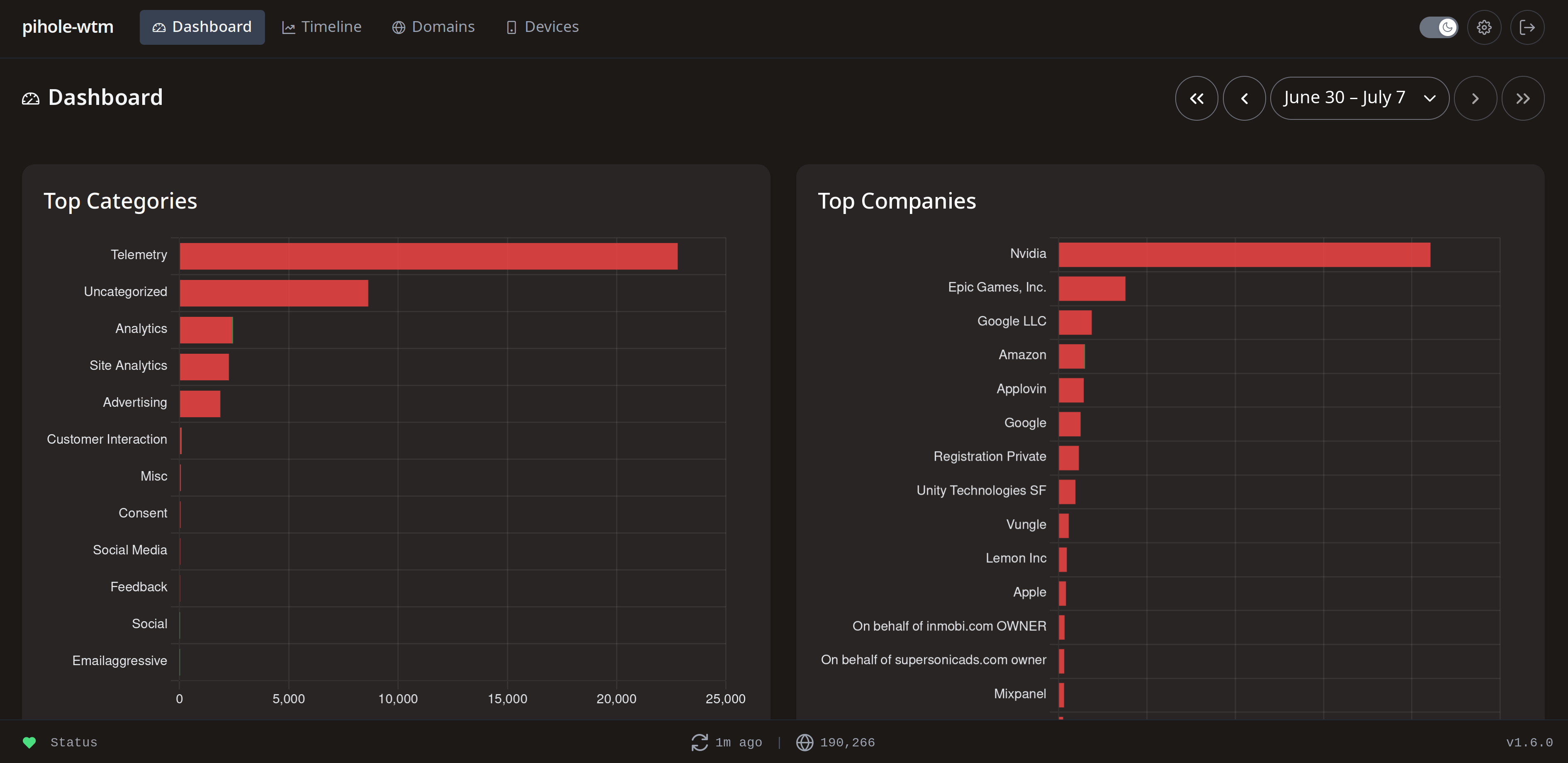
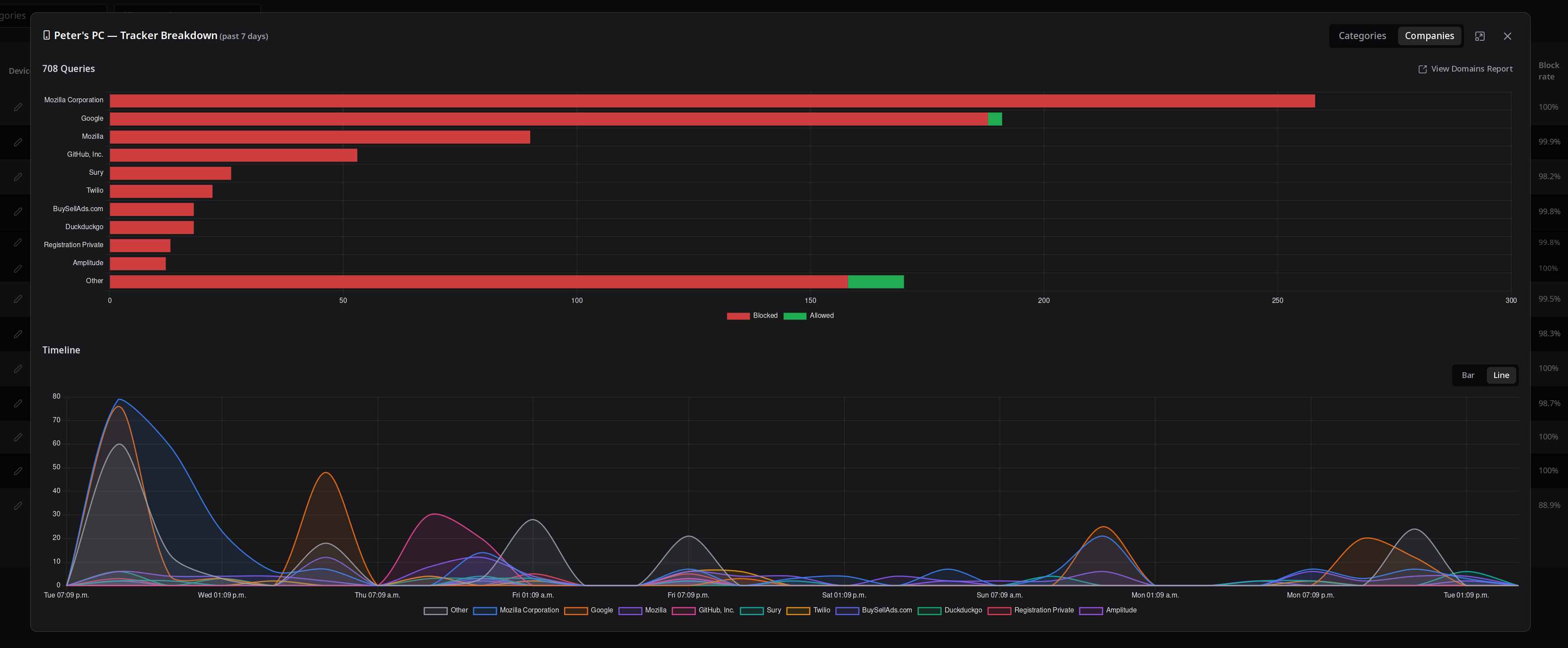
- Dashboard — top tracker categories and companies by query volume, recent blocked and allowed domain activity
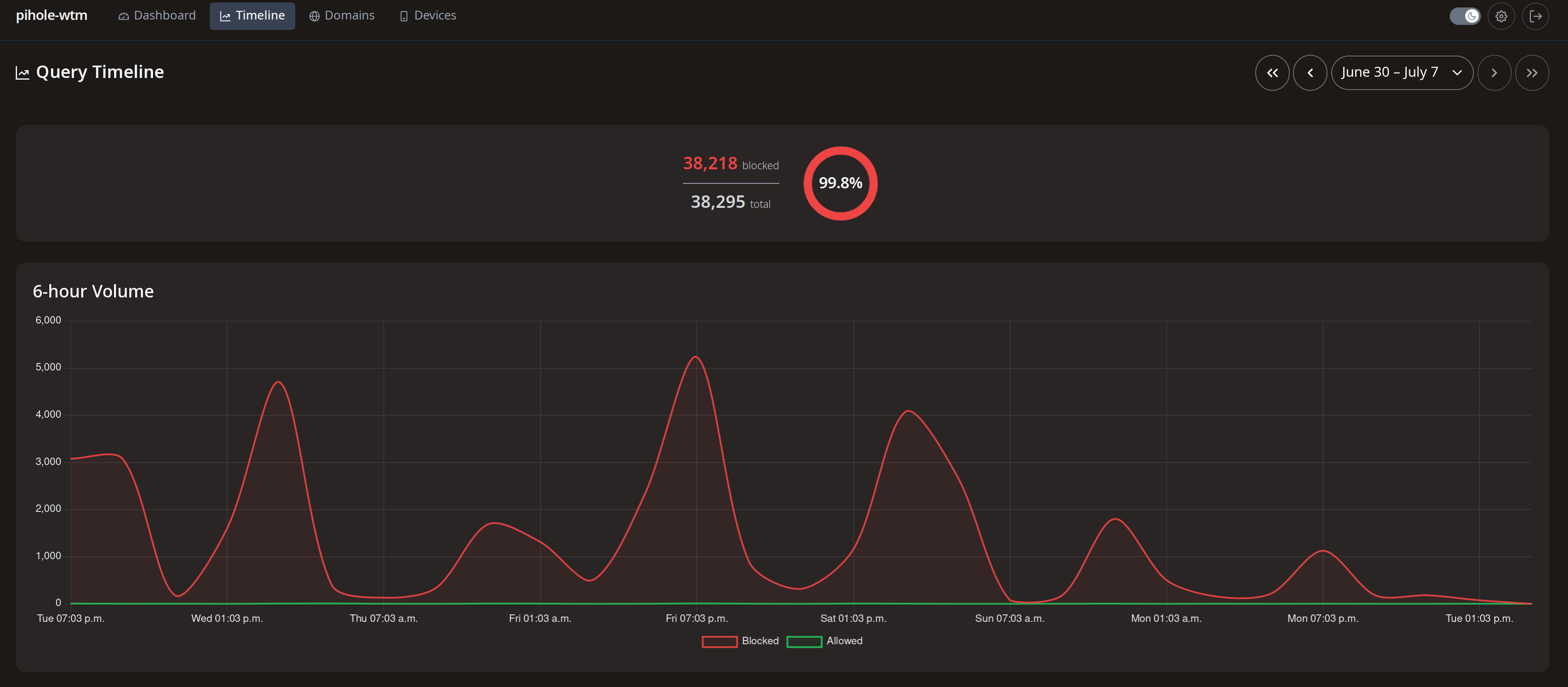
- Timeline — hourly query volume chart with blocked vs. total breakdown and a summary block rate for the selected period
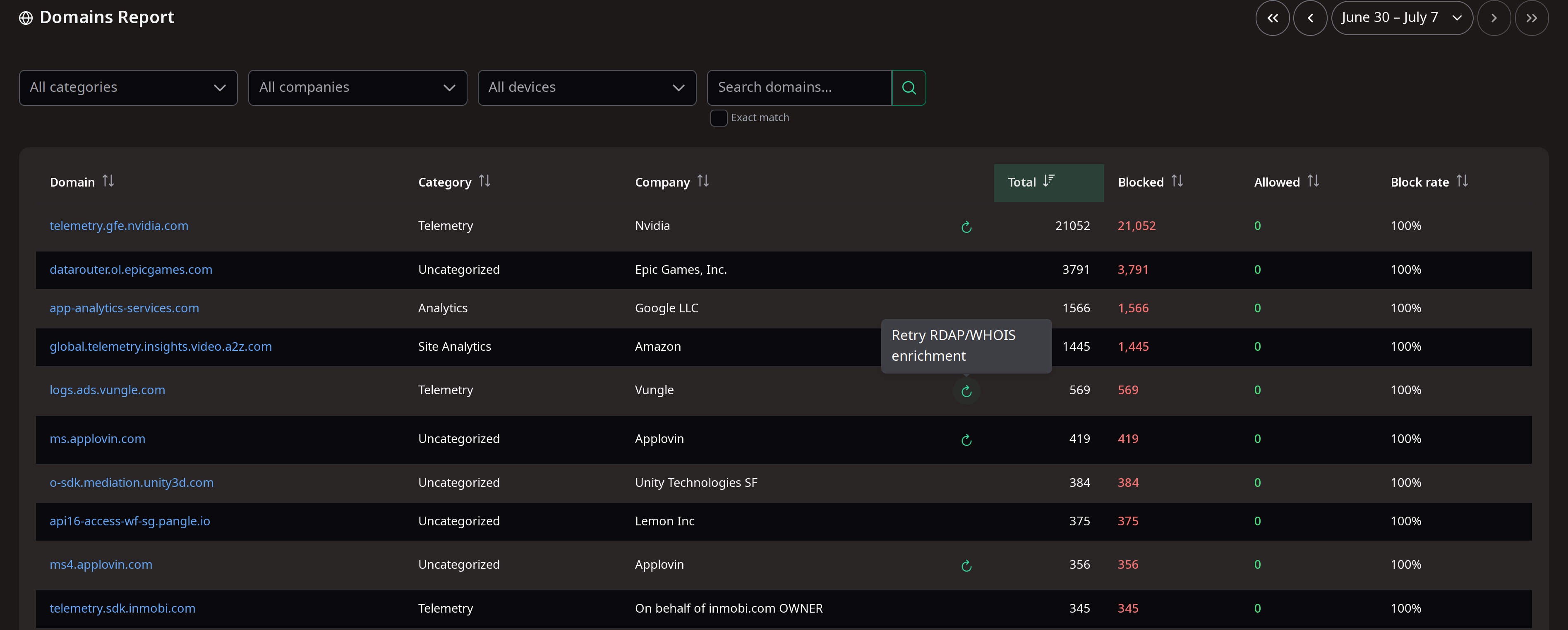
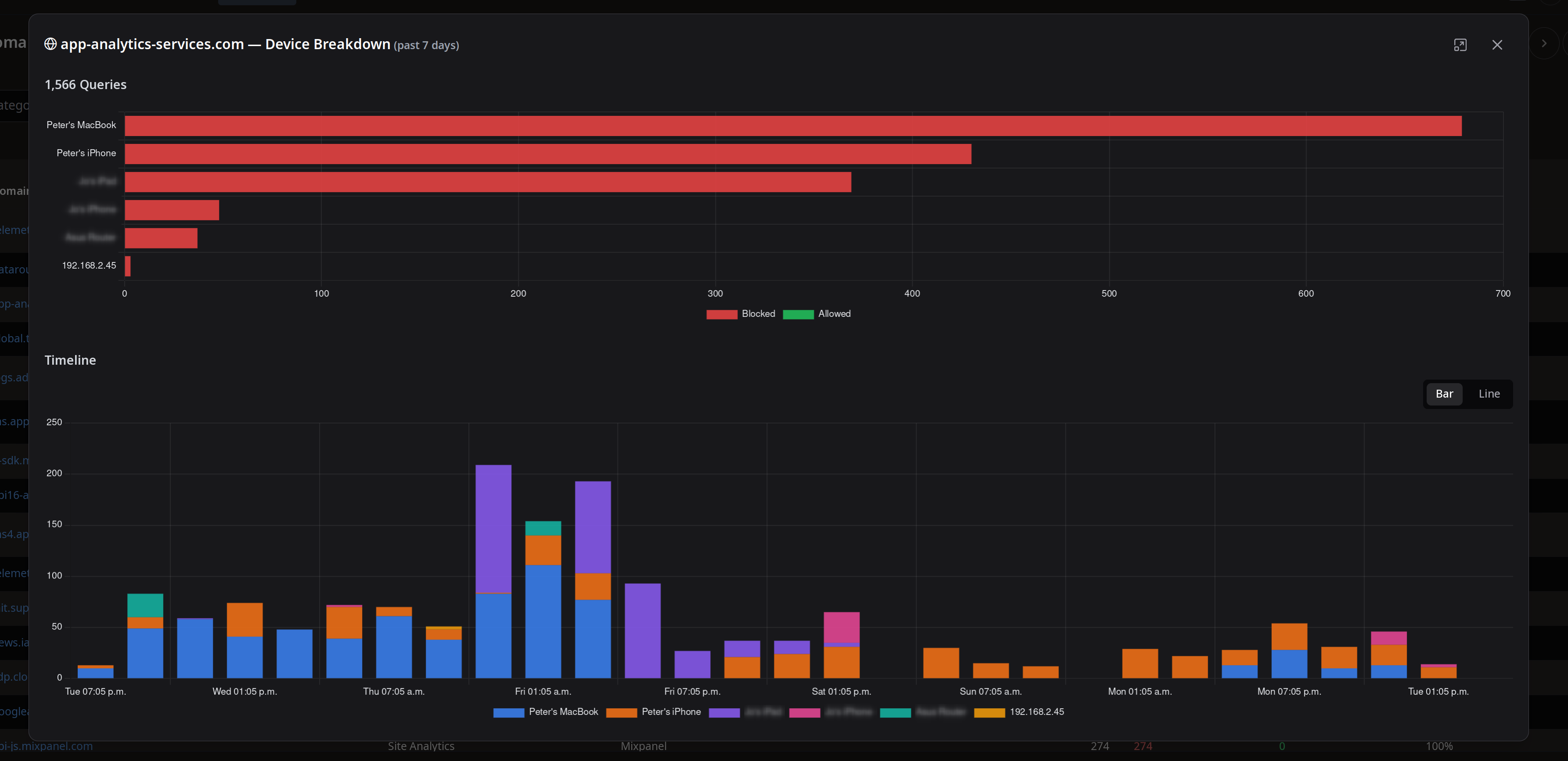
- Domains Report — full filterable table of stored domains enriched with category, company, block count, and block rate; filter by category, company, or device, or search by domain name
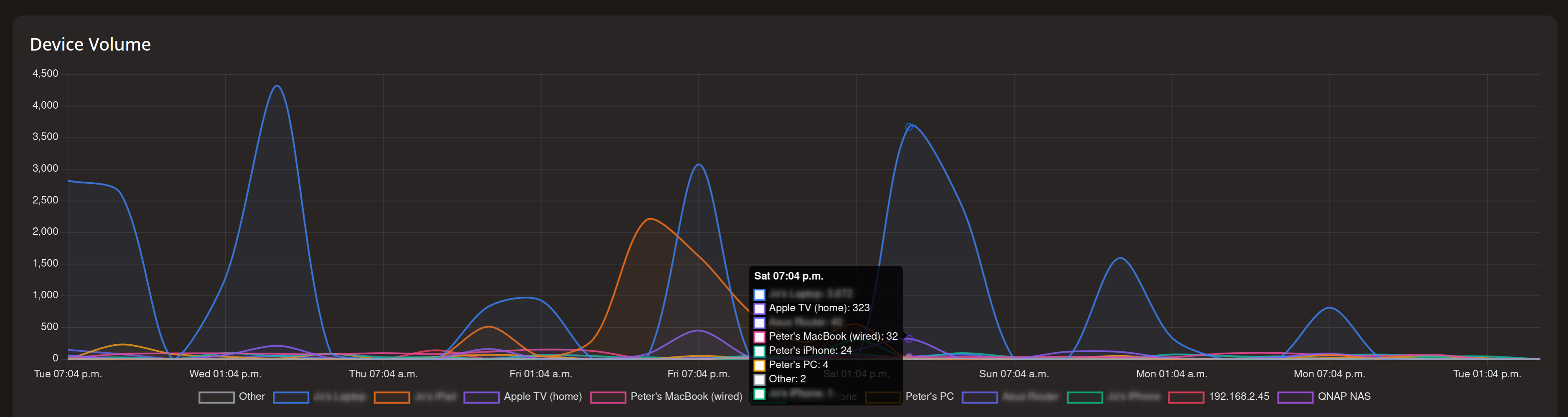
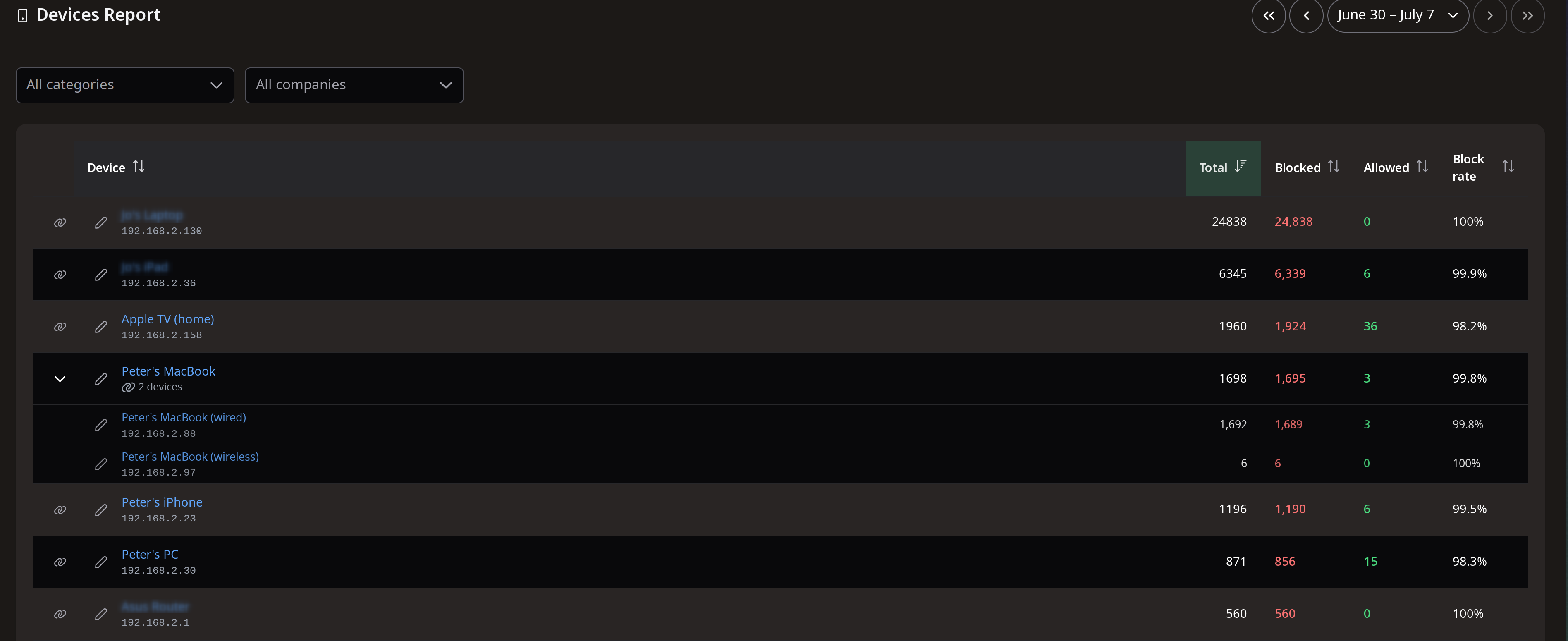
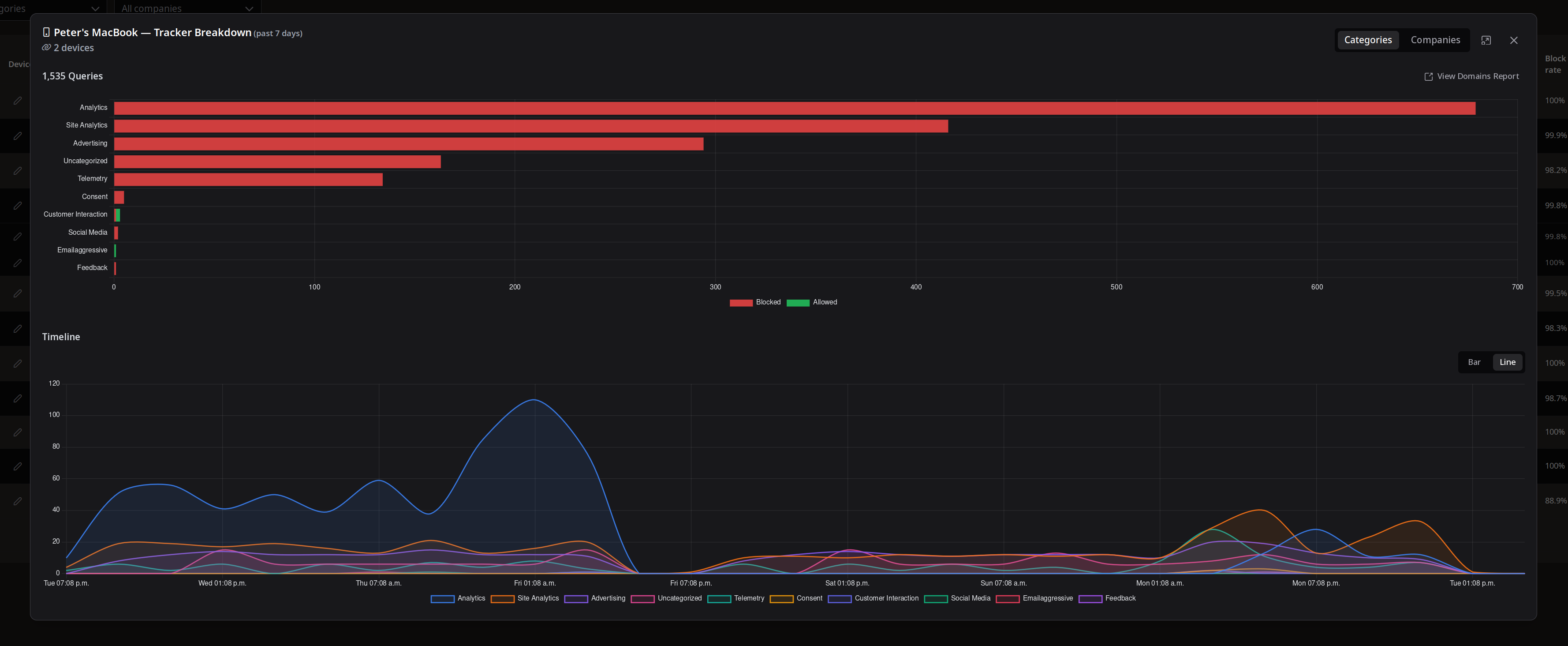
- Devices Report — per-device breakdown of query counts and block rates; supports friendly name assignment to IP addresses
All views share a date range picker so you can look at any historical window the database covers.
Architecture
The backend is an async Python FastAPI app. A background sync process polls the Pi-hole v6 REST API on a configurable interval, pulls new query records, runs them through the enrichment pipeline, and writes the results to SQLite. The frontend is a Vue 3 + TypeScript SPA that talks to the FastAPI backend — all served through nginx in the Docker image.
The design deliberately keeps Pi-hole untouched: no configuration changes, no blocklist modifications, no write access to Pi-hole at all. The dashboard reads only, and serves all data from its own store so Pi-hole is never under load during browsing.
Deployment is a single docker compose up -d using a published multi-arch image (amd64 + arm64), which covers both x86 home servers and Raspberry Pi installs.